
Browse the documentation
Home
Applications
Documentation
Playing a round
As a player, your goal during a round is to be the fastest to recognise the track the host is playing — then to say it out loud.
The game screen
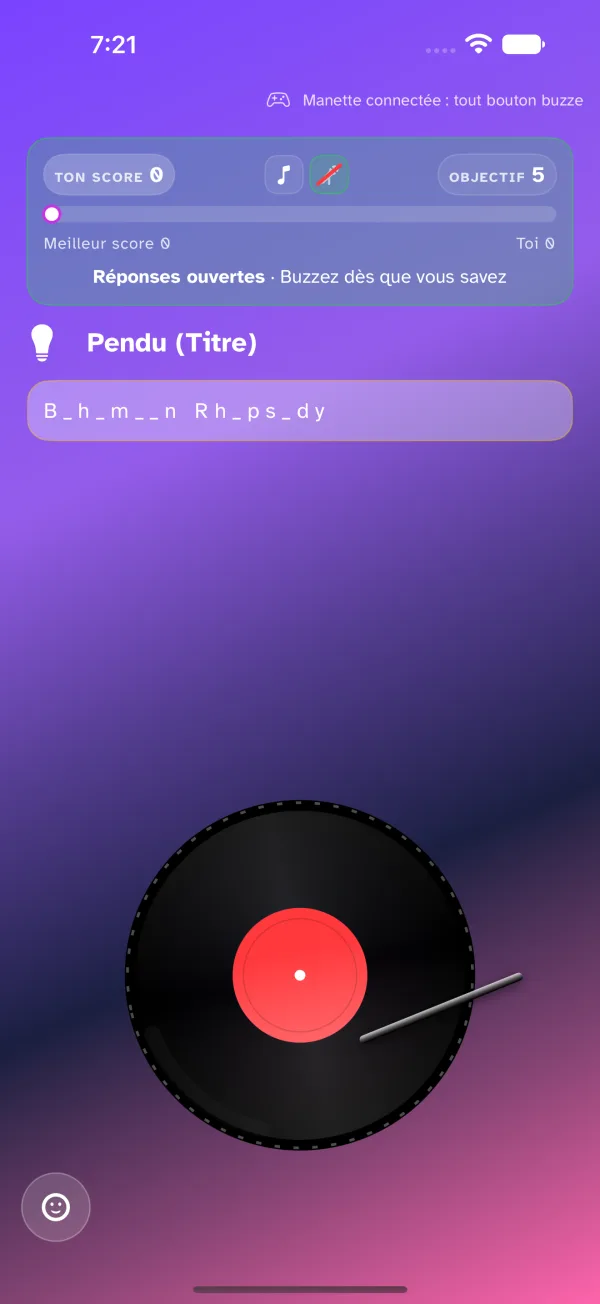
During a round, your device is a buzzer. At the top, a band shows your score, what is still to guess and where the round stands; at the bottom, the buzzer, which stays put whatever happens. Details are in The in-game interface.
A typical round
- The countdown: every round starts with a 3-2-1.
- Playback: the track starts on the host's device. The band turns green: Answers open.
- The buzz: as soon as you recognise the track, or part of its details, tap the buzzer — or anywhere in the top half of the screen.
- The floor: if you are first, the band turns white, Your turn!, and a memo replaces the buzzer with everything already known. Answer out loud; the host has a speaking time, set by them.
- Points: the host awards points for each field found — or a penalty, by their rules.
- End of round: a recap shows the track, the first buzz and the standings, before the next title.
The buzzer
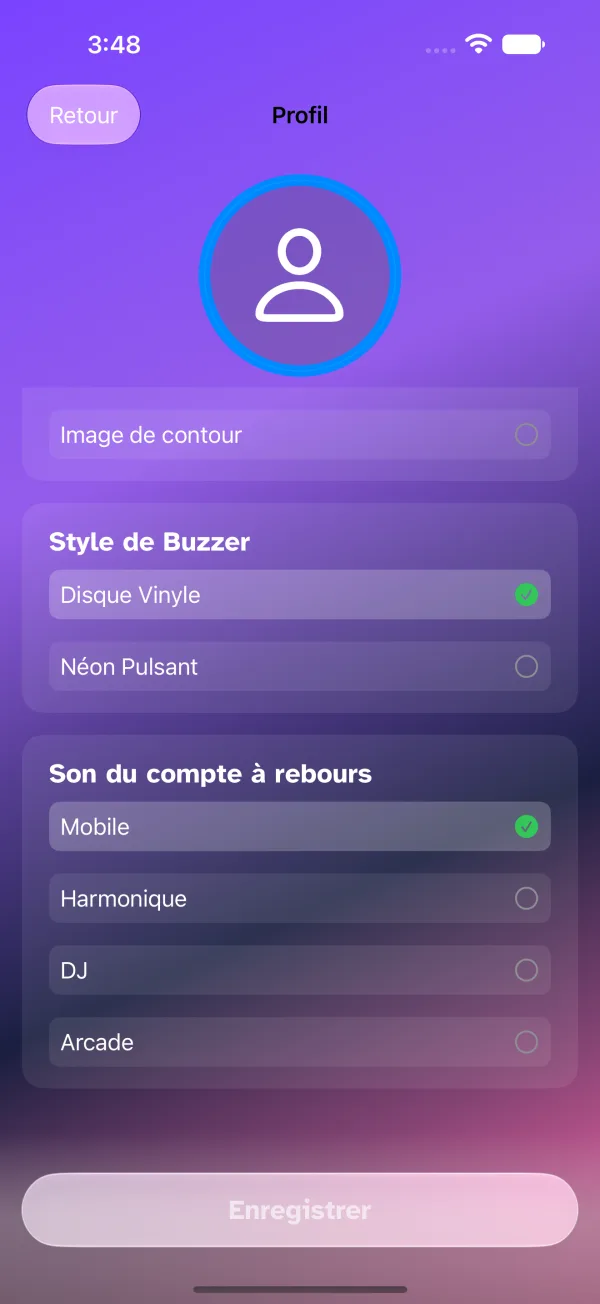
The buzzer is at the centre of everything. You choose its look in the settings.
Customising your buzzer
- Open the player settings.
- Choose the Vinyl Record or Neon Pulse (a scrolling music sheet) style.
- The preview updates at once.
What to guess
Depending on the host's configuration, you have to find the artist, the title, the album or the year. The band shows them as small icons; a struck-through icon is a field the host has revealed.
Using the helps
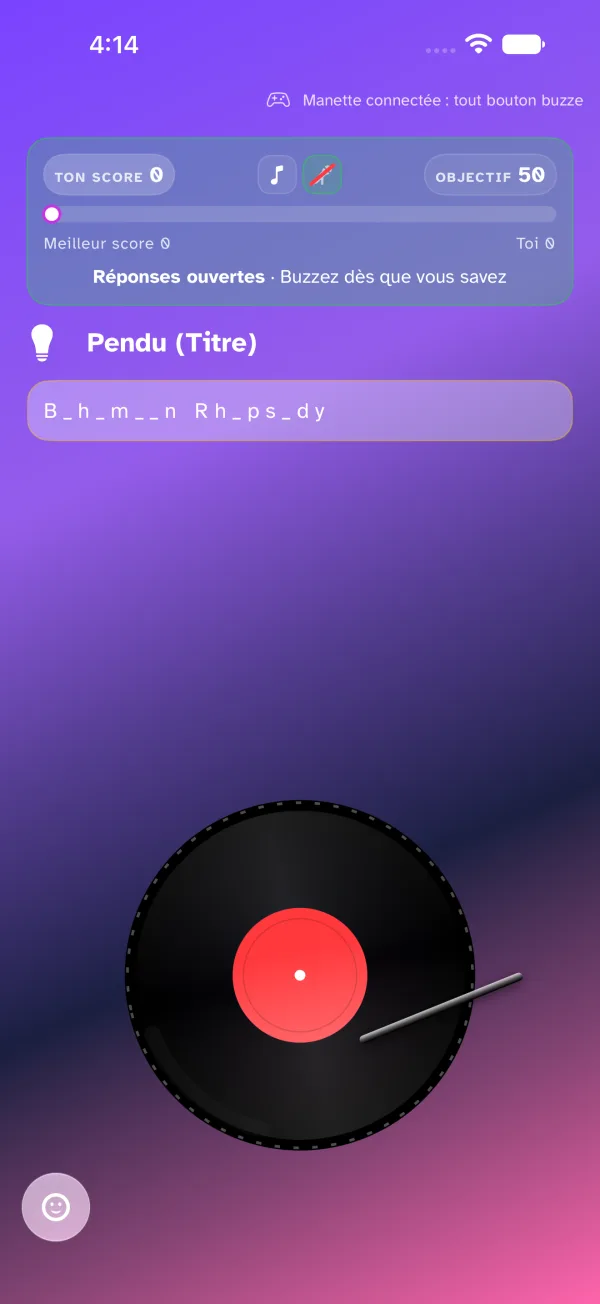
If you are stuck, the host can help you, and the help shows under the band:
- a revealed field: the information is given outright;
- the hangman: the word to find, with masked letters (e.g.
_ i c h a _ l J _ c _ s _ n); - the 4 choices: a quiz — tap the option you think is right;
- a hint: a sentence written by the host or generated by AI.
Be strategic! Buzzing fast gives you the floor, but a wrong answer may cost a penalty, by the host's rules.