
Browse the documentation
Home
Applications
Documentation
Disconnections & resuming a game
In a multiplayer game over a local network, connection losses (device going to sleep, Wi-Fi signal loss) can happen. Play Guess and Reveal includes a robust system for automatic reconnection and for saving the game state.
Player side: Connection loss
If you lose your connection to the Host — in the waiting room as well as in the middle of a game —, the app reacts as follows:
- The game screen automatically switches to a waiting screen showing "Connection Lost..." and "Reconnecting...".
- The app looks for the previously targeted host and tries to reconnect to it automatically.
- If the reconnection succeeds, you will return to your game screen, your current score, and the status of the ongoing Round.
Even without losing the connection, your device asks the host for the state of the game every 30 seconds, and as soon as the app comes back to the foreground — after a call, a message, another app. Whatever you missed meanwhile (next round, answers open, points, hints) is caught up; what has not changed does not move on screen. On their side, a host coming back to the foreground resends the state to every player, and announces the game again on the network: a player who was looking for it during the absence finds it.
Leaving the game for good
If you no longer want to play or the game is over, you can tap the Leave Game button from the reconnection screen. This action informs the Host of your permanent departure and cancels the automatic reconnection attempts.
Note: Your player ID is persistent on your device. So even after the app crashes, joining the same host again will let you recover your identity and your points (as long as you keep the same nickname).
Host side: Crash or interruption
The app saves the complete game state on the host side in real time (scores, configuration, Rounds, guessing options).
If the Host's app closes accidentally (crash, dead battery, etc.), it is possible to resume the session:
- Relaunch the Play Guess and Reveal app.
- If a previous session save is detected, the home screen shows an Interrupted game banner, with Resume and a cross to forget it. The rest of the home screen stays usable.
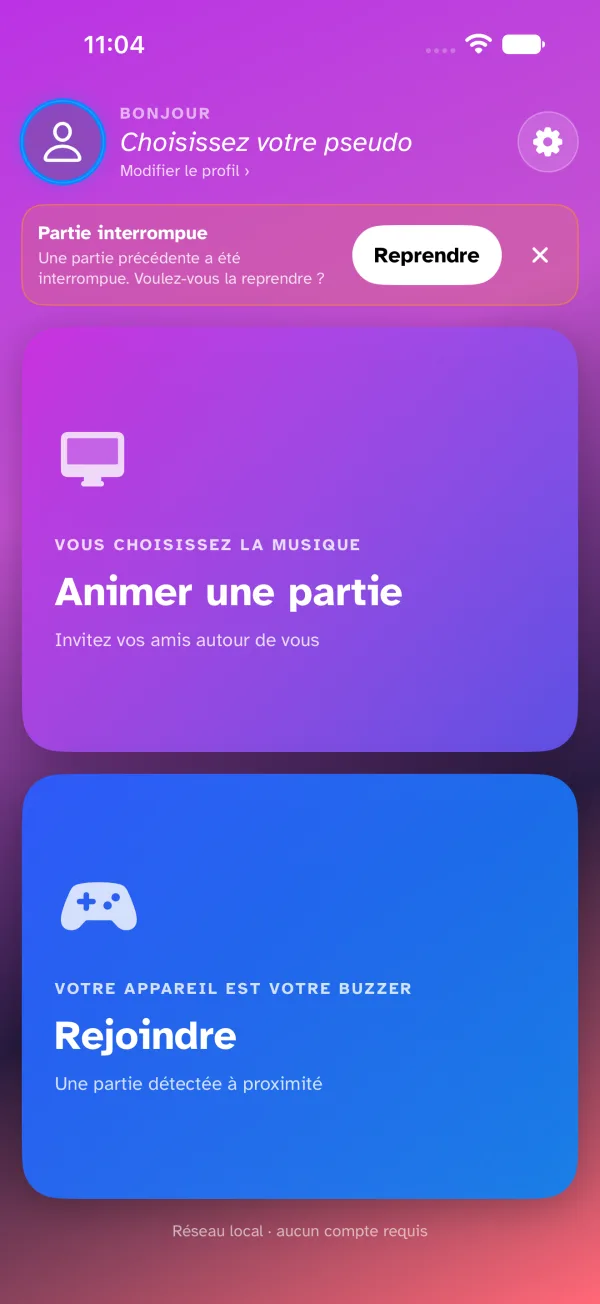
- When you tap Resume, your network server is restarted with the exact configuration of the interrupted session.
- The game screen reloads and a notification message confirms: "Game resumed! Waiting for players...".
- On their side, the players will reconnect automatically thanks to their reconnection system, recovering their scores instantly.
Session cleanup
If the Host leaves the game "cleanly" (using the end game or close waiting room button), the saved state is deleted, and the game is permanently over for everyone.
Detecting inactive players
During the game, the Host continuously monitors the participants' connection through a heartbeat system (ping/pong):
- If a player stops responding for a certain time (about 20 seconds), they are marked as inactive.
- A warning message is shown on the Host's screen to alert them that the player in question is unavailable.
- The inactive player will automatically rejoin the game and be removed from the inactive list as soon as their connection is restored.
- A player who sends the app to the background (a text, a call) is reported as away to the host and the other players without waiting those 20 seconds — they haven't left the game, and they're back in as soon as they reopen the app.