
Browse the documentation
Home
Applications
Documentation
Playing a Round
Once the Host starts the game, each round unfolds in several steps, from the countdown to the awarding of points. As a player, your goal is to identify the track's details as quickly as possible.
Start of a round
- A visual countdown (5 seconds) appears on your screen.
- When the countdown ends, the music starts on the Host's device.
- The Buzzer appears on your screen, ready to use.

Buzzing and answering
As soon as you recognize the track or one of its details (artist, title, album, year):
- Tap the central Buzzer on your screen.
- The answering time starts (set by the Host, for example 10 seconds).
- Enter your answers in the corresponding fields (Artist, Title, etc.).
- Submit your answers before time runs out.
Warning: If you submit incorrect answers, you risk penalty points! Only the correct fields earn you points.
Using hints
If the track is difficult, the Host can send hints that appear directly on your screen:
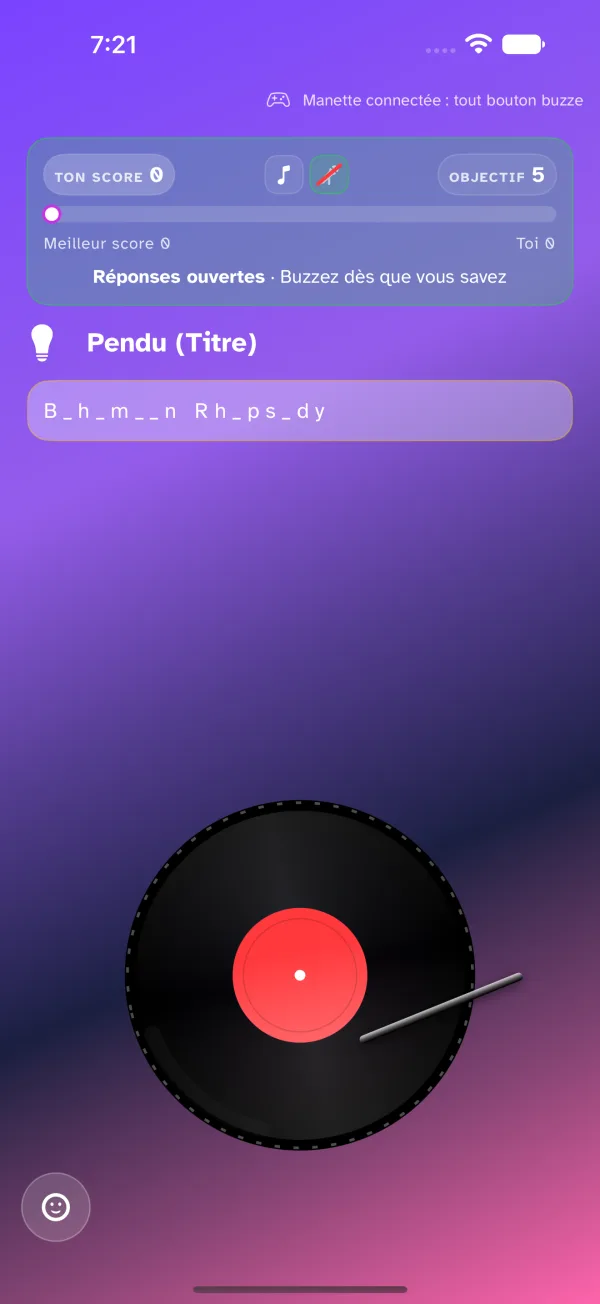
- Hangman — shows a word with missing letters (e.g. _ i _ _ a e l _ a c _ s o n).
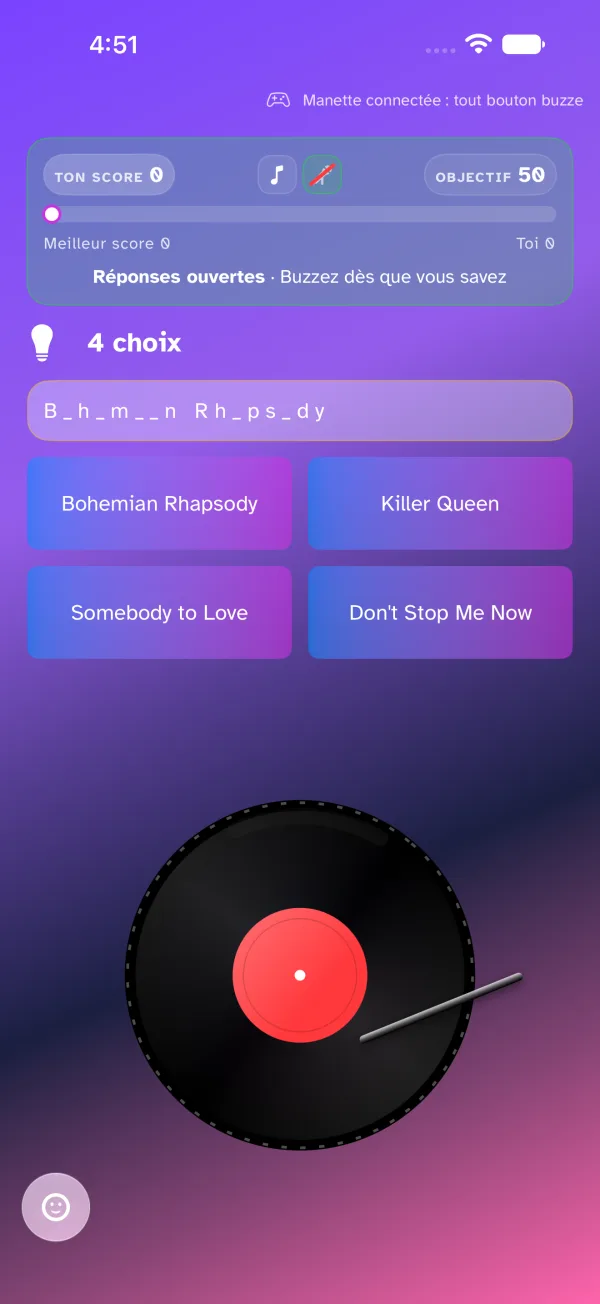
- 4-choice quiz — a multiple-choice (4 answers) question appears. Tap the correct answer.
- Field reveal — the Host can choose to display the answer to one of the fields directly (e.g. show the year to help you).
End of the round and recap
When the Host ends the round:
- The current track stops.
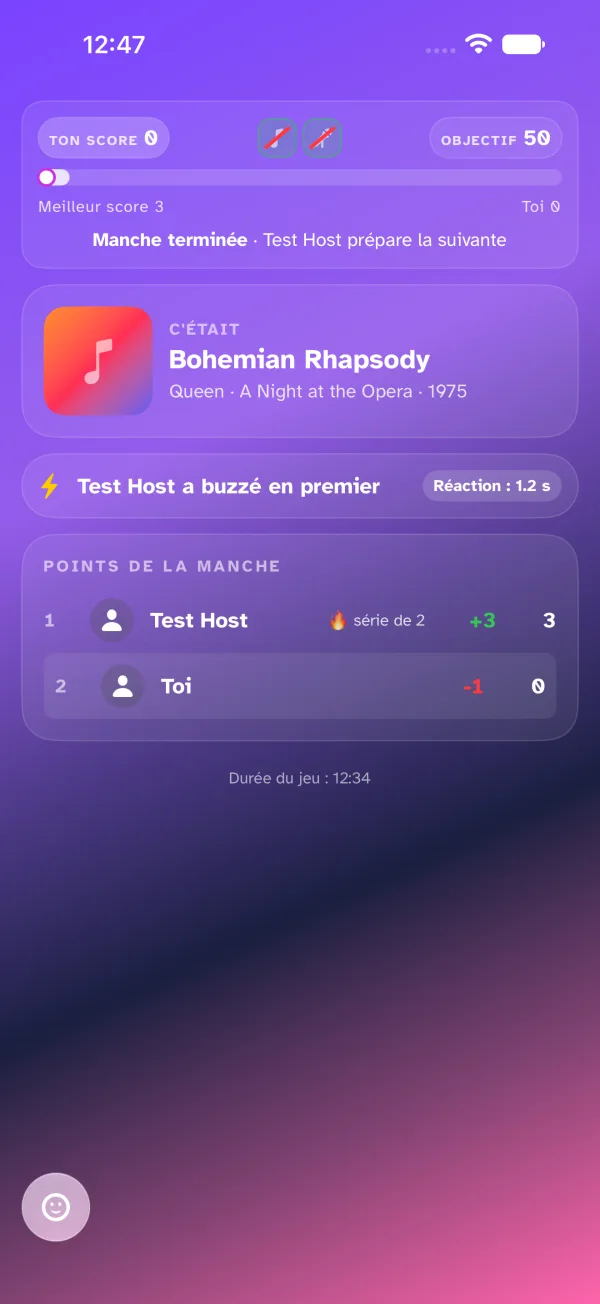
- The recap appears, with the same band as during the round: your score, the field icons — all struck through, everything is revealed —, the target, and the state Round over · Léa is preparing the next one.
- Below, the track (cover, title, artist · album · year), the first to buzz and their reaction time.
- Then Points this round: the game's standings, with the MVP's delta in green (and their 🔥 streak if they keep going) and the lowest score's in red; your row is highlighted.
Get ready, the next round will begin as soon as the Host starts the next track!