
Browse the documentation
Home
Applications
Documentation
The in-game interface
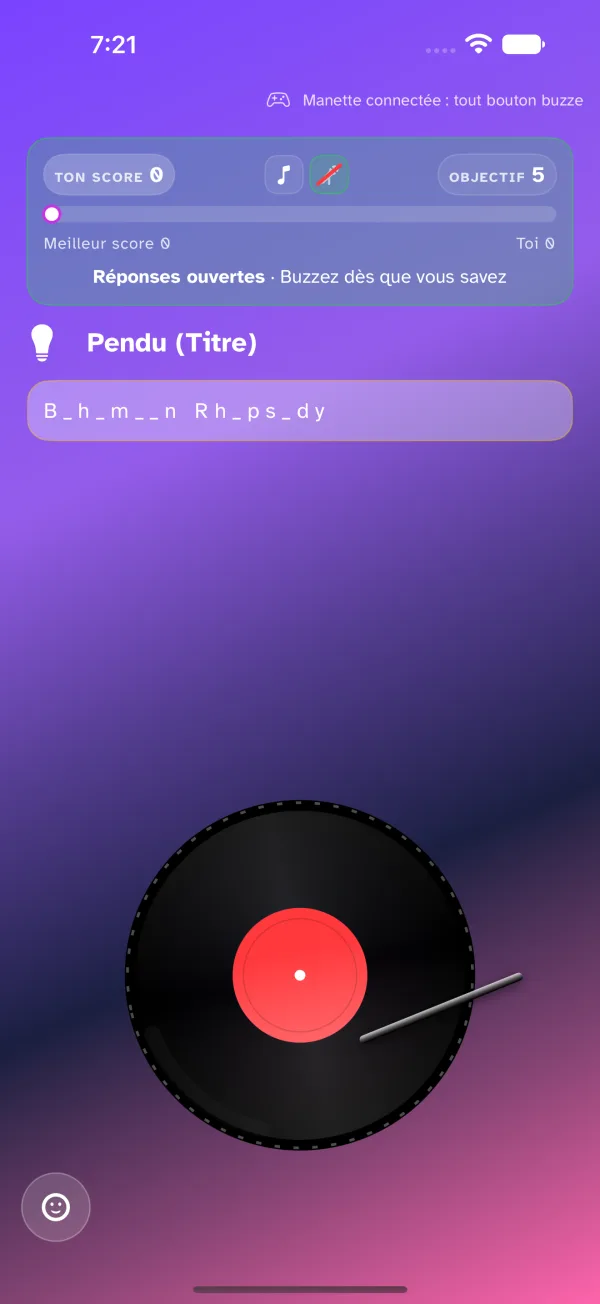
During a round, your device is your buzzer. The screen reads in two halves: at the top, what you need to know; at the bottom, the buzzer, which never moves.
The top band
The band gathers, on one line, your score, what is still to guess and the game's target. Below it, a thread shows the best score racing toward the target, with your own position as a dot. Other players' scores are not shown: you will find them in the end-of-round recap.
What is still to guess fits in small icons: a note for the title, a microphone for the artist, a disc for the album, a calendar for the year. Only the fields the host has chosen appear. When the host reveals a field, its icon is struck through — you no longer need to look for it.
The band changes colour with the round, and spells it out:
- green — Answers open: you can buzz;
- red — Léa has the floor: someone else buzzed, listen to their answer;
- white — Your turn!: you buzzed, answer out loud;
- grey — Answers closed: the host has the floor.
Buzzing
The buzzer fills the bottom half of the screen, as a vinyl record or a music sheet ("Neon Pulse" style) depending on your setting. It spins as long as answers are open.
To buzz, tap the buzzer — or anywhere in the top half of the screen: no need to aim. On a Mac or with a keyboard, the space bar buzzes; so does a game controller (see Game controllers). A buzz outside open answers does not go out.
The first to buzz has the floor: their name shows on every player's screen, and the host listens to their answer. There is nothing to type — answers are spoken, and the host awards the points.
When you have the floor
At your buzz, the buzzer fades out and gives way to a memo: everything already known about the track — revealed fields, hints received, the hangman, the four options of a quiz — and what is still to find. You answer with everything in front of you.
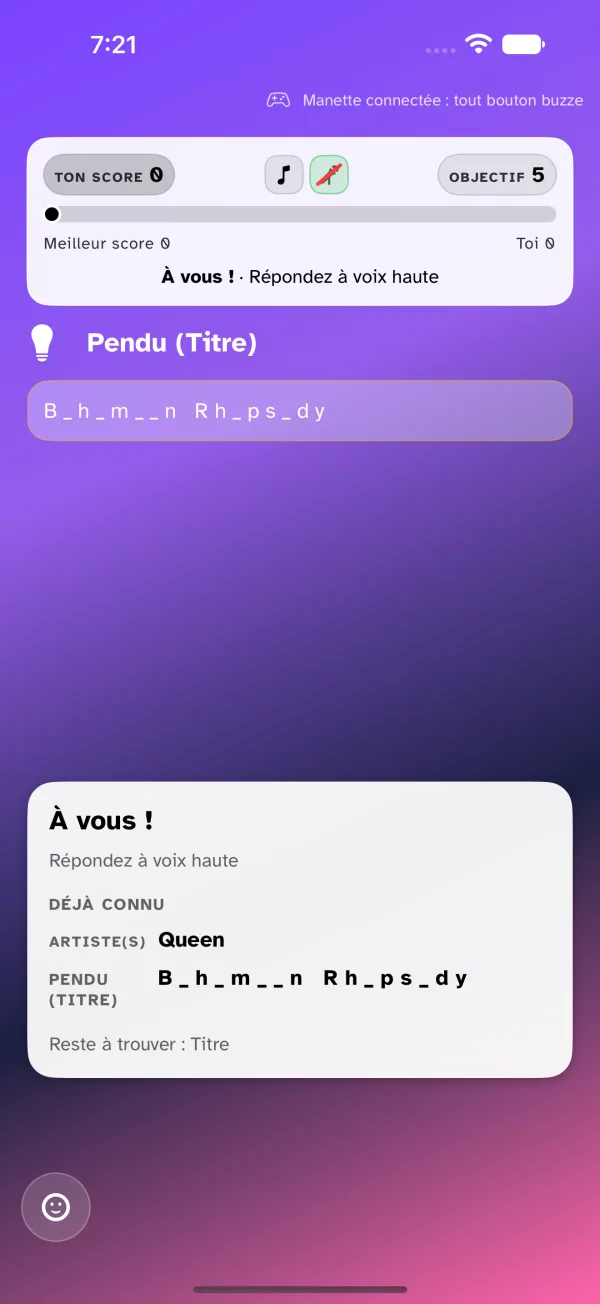
The buzzer comes back with the next round's countdown, or as soon as the host reopens answers.
The host's helps
They appear in the top half, under the band, without ever moving the buzzer:
- a revealed field: its icon is struck through in the band, its value is in the memo;
- a hint: a sentence written by the host or generated by AI;
- the hangman: the word to find with masked letters;
- the 4 choices: four options, tap the one you think is right — the only spot in the top half where a tap does not buzz.
Reactions
The smiling-face button, bottom left, opens eight reactions — applause, laughter, fire, doubt, heart, thumbs down, party, surprise. A reaction shows on everyone's screen, the host's included. The same button is in the waiting room and on the end-of-round recap.
The end-of-round recap
At the end of the track, a recap screen shows the cover, the title and artist, the first to buzz, the points awarded and the game's standings.